
Keep the starting clue in view
See how each saved entity relates to the authorized target instead of reviewing disconnected rows.
Relationship map
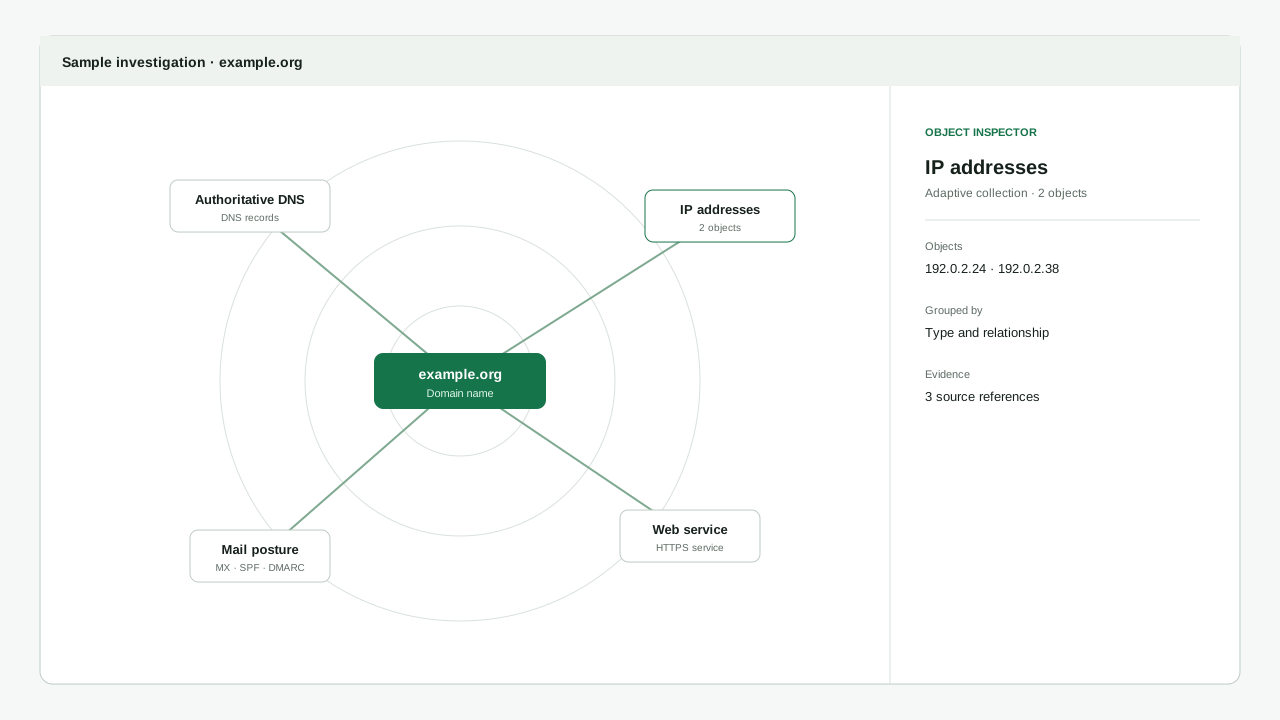
Move through saved results, see how they connect and inspect the source and confidence behind each relationship.
Interactive example
This reserved-value example is documentation only. It does not contact a service or represent a live research run.
Groups make repeated results easier to review. Every saved entity, relationship and source reference remains independently addressable.
Benefits first
The relationship map helps answer review questions while keeping uncertainty and original sources accessible.
See how each saved entity relates to the authorized target instead of reviewing disconnected rows.
Collapse dense repeated entities for readability, then open the group without losing any individual result.
Relationship labels and confidence make the reason for a connection reviewable rather than merely visual.
Inspect the original source references and findings connected to the selected entity or relationship.
Keep values, confidence, sources and group membership beside the map while reviewing a result.
Reveal a saved entity already present in the current investigation without creating a new claim.
The map, result list, group browser and inspector point to the same selected entity at the same time.
Distance and sectors help distinguish direct context from candidate or review-only relationships.
Canonical objects, Grouped repeated results, Recorded relationships, Object and group inspectors, and Reveal an existing result all use the same saved object and relationship IDs as findings, evidence and exports. Presentation groups are not canonical entities, and the canvas does not form a parallel graph store.
Start with a target
Create an account to save authorized research results, or inspect exact product and data-source compatibility first.